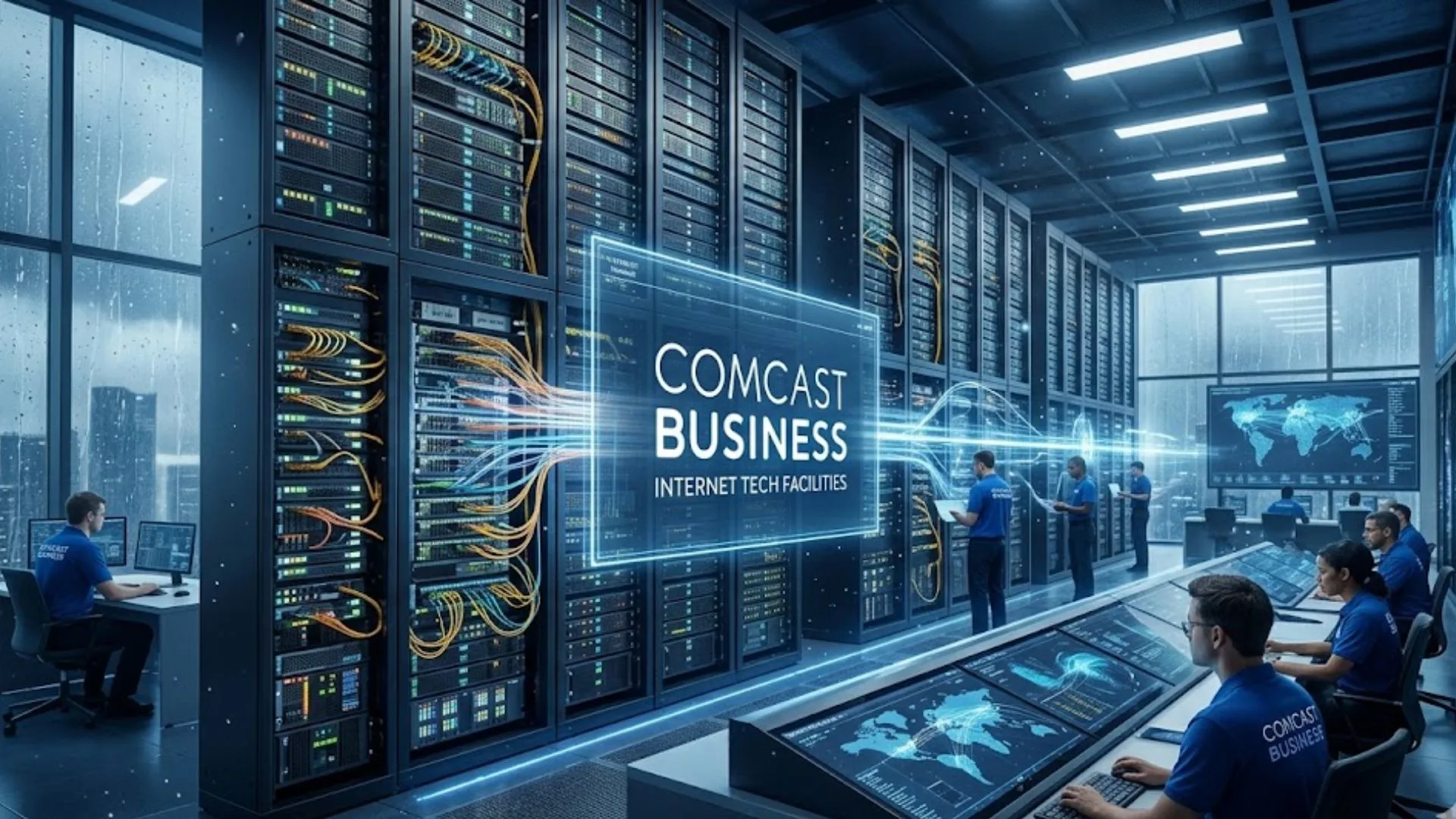
You run a business. You need the internet to work. End of story.
When the WiFi dies, you die. The credit card machine freezes. The customer looks at you like you broke it.
That’s where Comcast Business steps in.
This isn’t your home Netflix plan. It’s a whole different animal. We are talking about Comcast Business Internet, Phone, and serious Solutions like cybersecurity. But is it overkill? Or exactly what you need?
Let’s walk through the Plans, the Pricing, and how to actually reach Customer Service when the lights go out. We will look at the Login, the WiFi, and the gritty details of the installation process.
Buckle up. Let’s get real.
⚙️ Comcast Business · Core Technical Specifications
Network architecture · hardware · security stack · voice infrastructure · SLA-backed metrics
| 🌐 Internet & Network Connectivity | |
| Max download (HFC / DOCSIS) | Up to 2 Gbps (Gigabit Extra / 2 Gigabit plans) DOCSIS 3.1 Full Duplex ready Base tiers: Essential 150 Mbps · Standard 300 Mbps · Performance 500 Mbps · Advanced 800 Mbps[reference:0] |
| Dedicated Internet / Fiber portfolio | Symmetrical speeds up to 100 Gbps over Ethernet (enterprise / carrier-grade) Dedicated Internet Access DIA Fiber-based Dedicated Internet available with symmetrical download/upload up to 10 Gbps for business locations[reference:1] |
| Upload performance (coax footprint) | Standard plans: upstream up to 35 Mbps – 300 Mbps depending on tier. Next-gen symmetrical (DOCSIS 4.0 / Full Duplex) rolling out in Atlanta, Colorado Springs, Philadelphia[reference:2] |
| Network core technology | Hybrid Fiber‑Coaxial (HFC) + deep fiber architecture · MEF‑certified Carrier Ethernet · 24×7 NOC monitoring |
| IP addressing | Dynamic IP (default) · Static IP available as single address or in blocks: /29 (5 usable IPs) or /28 (13 usable IPs) [reference:3][reference:4] Static IP configured remotely on Comcast IP Gateway – no extra hardware needed. |
| Data usage policy | Unlimited data on all business internet plans · no overage fees · no consumption caps |
| 📡 Comcast Business Equipment (Modem / Router / Gateway) | |
| Business Gateway (leased) | Technicolor CGA4131COM (DOCSIS 3.1) – mandatory for 500M / 1 Gig speed tiers[reference:5] DPC3941B (DOCSIS 3.0) – dual‑band WiFi 802.11ac, 4x GigE LAN, USB 2.0[reference:6] |
| Bridge mode capability | Yes – the CBR gateway supports transparent bridging. ⚠️ Bridge mode disables static IP functionality (routing offloaded to third‑party firewall / router)[reference:7] |
| WiFi standard (integrated) | Dual‑band 2.4 GHz + 5 GHz · 802.11ac (Wi‑Fi 5) on legacy models · newer CGA gateways support private business WiFi with Gig‑capable throughput |
| Third‑party modem compatibility | Customer‑owned retail modems must be on Comcast approved list (e.g. Motorola MB8600, Arris SB8200 for DOCSIS 3.1). Business phone service requires Comcast leased gateway (embedded MTA). |
| 🛡️ Cybersecurity & SecurityEdge™ | |
| SecurityEdge™ (foundational) | DNS‑based threat blocking · global intelligence refreshes every 5 minutes · real‑time threat dashboard via My Account[reference:8] Blocks malware, phishing, botnets, known malicious domains. No extra hardware required – runs on Comcast Business router. |
| SecurityEdge™ Preferred | Next‑gen firewall (AI‑powered) · two‑way traffic inspection · intrusion detection / antivirus / anti‑malware · IP & geolocation filtering · application control · DoS protection[reference:9] $40/month · no per‑seat fees |
| Threat visibility | Single‑app dashboard: see blocked threats, top targeted devices, category filters. SecurityEdge also protects off‑net devices (cellular + remote WiFi)[reference:10] |
| 📞 Business Voice & VoiceEdge® (Cloud PBX) | |
| VoiceEdge® core platform | Cloud‑hosted PBX · HD voice · unlimited nationwide calling · Polycom phones included (no additional charge)[reference:11] Phone extensions: 3–6 digits · hunt groups · shared call appearance · busy lamp field[reference:12] |
| Unified communications features | One‑touch call hold/transfer (key system emulation) · automated attendant · voicemail‑to‑email · music on hold · Webex integration (video + instant messaging)[reference:13][reference:14] |
| Mobile app & redundancy | Mobile application support: route business calls to cell phones · access directories · listen to voicemail remotely. 24×7 NOC monitoring for voice infrastructure. |
| 📄 Service Level Agreement (SLA) & Business Guarantees | |
| Network uptime SLA | 99.99% network reliability guarantee (equivalent to ≤52 minutes of downtime annually) for Dedicated Internet and Ethernet solutions[reference:15] SLA covers end‑to‑end: Comcast‑provided equipment, LAN, backbone network[reference:16] |
| Proactive monitoring | AI & cloud‑based network monitoring · issue resolution before impact · proactive fault detection (Dedicated Internet & Ethernet products)[reference:17] |
| Financial remedies | Service interruption credit · 30‑day money‑back guarantee for Internet/Phone/TV (excludes installation fees) · 60‑day guarantee for Business Trunking / Voice Mobility[reference:18][reference:19] |
| 📍 Network Coverage & Expansion (2026) | |
| National footprint | More than 60 million homes and businesses · 40th state (Iowa) added via Quad Cities expansion · 65M+ locations with access to converged network[reference:20][reference:21] |
| Recent expansion markets | Quad Cities (IL/IA) – Moline, East Moline, Rock Island, Davenport, Bettendorf The Villages (FL) – +13,000 homes & businesses Miami‑Dade coastal communities – Miami Beach, North Bay Village, Bay Harbor Islands, Surfside[reference:22][reference:23] |
| Deployment lead time (Dedicated Internet) | Rapid deployment over HFC: installation timelines as short as 30 days. Fiber construction timelines vary per market.[reference:24] |
| ⚙️ Network Architecture & Transport | |
| Core backbone investment | $80B+ invested over last decade (network & tech infrastructure) · $20B+ since 2018 specifically on DOCSIS 4.0 readiness / fiber densification[reference:25][reference:26] |
| Symmetrical multi‑gig rollout | DOCSIS 4.0 “Full Duplex” technology enables symmetrical speeds over HFC (up to 2 Gbps symmetrical initially, scaling to higher). First business markets: Atlanta, Colorado Springs, Philadelphia[reference:27] |
| Backup / redundancy option | 4G LTE backup available as optional add‑on (“Wireless Connect”) · keeps credit card terminals / essential operations online during local outage[reference:28] |
Why Regular Home Internet Fails Your Business (The Brutal Truth)
Here is a secret the cable companies don’t scream from the rooftops.
Comcast Business vs residential internet is a fight about respect, not just speed.
My friend Dave runs a coffee shop. He used his home Xfinity plan for the register. Cheap, right? Wrong. On a Saturday rush, the internet crawled. He called support. They said, “Sir, this is a residential line. Too many devices.” They didn’t care about his lost latte sales.
That is the big difference. Residential plans are for watching movies. Comcast Business Services are for making money.
Here is why you switch:
- Static IPs: Homes get a random address online. Businesses often need a Comcast Business static IP to run servers or security cameras remotely. You can’t get that at home.
- Faster Uploads: You send invoices, back up data to the cloud, and video conference. Business plans prioritize upload speed.
- No Data Caps: Streaming Netflix burns data. Uploading inventory reports burns more. Business plans ditch the caps.
One business owner in a forum put it bluntly: “Static IPs are only offered for Business Customers. You cannot get them at home.”
If you are running a real operation, you need high-speed internet for small businesses. You need enterprise connectivity solutions that don’t crash at 2 PM.
The 2026 Game Changer: “Total Solutions Advantage.”
Comcast just dropped something new. In March 2026, they launched Total Solutions Advantage.
Why does this matter? Because it bundles the boring stuff together.
Before, you bought the internet. Then you bought a security package. Then you paid for a modem. It was like buying a car one tire at a time.
Now, the plans are all-in-one.
“Each plan includes high-speed Business Internet and Security Edge™, which helps protect against phishing, malware, and other cyber threats automatically – without requiring additional hardware or dedicated IT resources.”
What this means for you:
You don’t need an IT guy on payroll. The Comcast Business modem comes with a brain. It filters out the bad guys.
The pricing for these new bundles starts at $60 per month. You also get a 30-day money-back guarantee.
That is cheap insurance for your data.

Breaking Down the Price Tag (No Math Phobia Allowed)
Let’s talk cash. Comcast Business Pricing is not a secret menu. You just have to know where to look.
In 2026, the landscape looks like this:
- Entry-level (50 Mbps): Around $49.99/mo. Good for a hotdog stand with one credit card reader.
- Mid-range (300 Mbps): Around $119.99/mo. This is the sweet spot for most offices.
- High-speed (1 Gig): Around $299.99/mo.
Here is the dirty trick: Promotional prices end. You might see $69.99 for the first 12 months. But months 13-24? It jumps to $84/mo.
The “Buy More, Save More” Hack:
Comcast wants you to bundle. If you add Comcast Business Phone or their LTE backup (called Wireless Connect for $35/mo), you save up to $30 a month.
Static IP Pricing:
Need a fixed address for your server? Expect to pay roughly $24.95 per month for a block of IPs. It adds up, but if you run a website from your office, you need it.
The Lifeline: Comcast Business Customer Service & Login
Let’s be honest. We only call support when we are angry. Our palms are sweaty. The register is down.
Reaching Comcast Business Customer Service is different from residential. They actually have a separate team.
- The Main Number: (800) 391-3000. This is the 24/7 business support line.
- The Enterprise Line: If you are a bigger fish, call (866) 524-7482.
The Login Portal:
You need to know the Comcast Business Login flow. Go to business.comcast.com/myaccount. This dashboard is your command center.
“When you log into My Account, you will be able to view connected device details, create groups, and manage static IPs.”
Pro tip: Use the “Direct Message” feature on their forums if the phone lines are jammed. A real agent usually replies faster there.
Fiber vs. Cable: The Speed Debate
You see ads for fiber internet. Is it magic?
Sort of. Fiber is a light signals through glass. Cable is electricity through copper. Light is faster.
Comcast Business fiber internet offers symmetrical speeds. That means your upload is as fast as your download. If you send huge video files or run a cloud-based business communication system, you need fiber.
But here is the reality check: Comcast mostly uses a Hybrid Fiber-Coax (HFC) network. It is fiber to the neighborhood, then coax to your door.
The stats don’t lie:
Comcast offers a 99.99% uptime SLA. That is roughly 52 minutes of downtime per year.
Is that perfect? No. But compare that to your home connection that dies for three hours during a thunderstorm. For reliable internet for offices, uptime is gold.
Coverage Areas:
Comcast is aggressive. They just expanded into the Quad Cities (Iowa/Illinois) and added 13,000 new hookups in The Villages, Florida. Check their map. If you are in a major metro, you are likely covered.
Voice Services: Killing the Landline
Stop paying the phone company $150 for a clunky desk phone.
Comcast Business Phone systems run on VoIP business phone systems (Voice over Internet Protocol). It’s just an app on a screen.
Their product is called Business VoiceEdge.
Why you need it:
- Auto-Attendant: “Press 1 for Sales, Press 2 for Support.” You sound like a Fortune 500 company.
- Mobility: The desk phone rings, and your cell phone rings. You never miss a call, even in the stockroom.
- Pricing: Starts around $20–$30 per line per month.
Anecdote time: A bakery owner I know switched to Comcast Business Voice Services. She hated missing orders while her hands were in dough. Now, the call forwards to her Bluetooth earbuds. She answers “Thank you for calling…” while frosting a cupcake. That is managed network services working for you.
Security: The Firewall You Forgot About
Small businesses think hackers don’t care about them. Wrong.
Hackers love small businesses because you don’t have a security guard.
Comcast Business security solutions are baked into the new plans. It’s called Security Edge™.
It blocks phishing emails and malware automatically.
If you are worried about cybersecurity for small businesses, this is the easiest button. You don’t configure anything. The Comcast Business router does the heavy lifting.
For $40/month extra, you can upgrade to Security Edge™ Preferred, which adds “advanced threat detection”. That is cheap compared to losing your customer database.
The Installation Process: What to Expect
You bought the plan. Now what?
The Comcast Business installation process is a visit from a tech. Do not try to DIY this like a home router.
The Tech Visit:
They drill holes. They run cables. They set up the modem and router. It usually takes half a day.
Pro Tip: Ask the tech for the “Admin Login” password. It is often cusadmin for the username and highspeed for the password. This lets you tweak the Comcast Business WiFi settings later.
The “Flop” Story:
I watched a tech install a line for a dentist’s office. He drilled into the wall… and hit a water pipe. Water sprayed everywhere. It was a disaster. BUT, Comcast fixed the pipe (they had insurance) and came back the next day with a new line.
The lesson? Sh*t happens. But Comcast Business SLA (Service Level Agreement) usually covers the repairs.
Should You Sign a Contract? The Lock-In Debate
Comcast Business contract terms are the enemy of freedom.
Most deals require a 2-year term agreement.
The Upside: You lock in the price. Inflation is high. Your bill won’t change.
The Downside: If your business moves or closes, you might pay a fee.
The Hack:
Comcast now offers “price lock” for 1 or 5 years. If you are stable, take the 5-year lock. It keeps the bean counters happy.
If you hate contracts, look at their no-term options. They exist, but the monthly rate is higher. You pay for flexibility.
The Verdict: Do You Need Comcast Business Solutions?
Here is the raw takeaway.
Yes, sign up if:
- You have more than 10 devices online.
- You need to host a server (email or web).
- You lose sleep over hackers.
- You need 24/7 support.
No, stick with residential if:
- You are a freelancer alone in a coffee shop.
- You only check your email and print receipts.
- You are broke and willing to risk downtime.
Comcast Business Solutions is for grown-ups. They offer scalable internet solutions for companies. You can start at 50 Mbps and scale to 100 Gbps.
But remember: Comcast Business WiFi is only as good as your wiring. If your office is in a bunker, even the best dedicated internet access vs shared internet won’t save you.
Final Word
Don’t be the hero who tries to save $20 a month by using a residential line.
Pay for Comcast Business. Get the static IP. Install the Security Edge. And when something breaks, call the 800 number and yell at a human being.
Your business deserves reliable internet for offices. It deserves uptime. It deserves to stay open.
Simply go to business.comcast.com/myaccount. Use the email and password tied to your business account. From here, you can pay bills, manage your Comcast Business WiFi, and view static IP settings.
Yes, significantly. Residential plans often cap upload speeds and throttle data. Comcast Business Internet offers prioritized network access, no data caps, and the option for Comcast Business fiber internet with symmetrical speeds (upload equals download).
For 24/7 technical support, call (800) 391-3000. For enterprise-level inquiries, call (866) 524-7482. You can also reach Comcast Business Customer Service via live chat on their website.
Most Comcast Business plans require a 2-year term agreement to lock in promotional pricing. However, Comcast now offers 1-year and 5-year price lock options. Month-to-month (no contract) plans are available but usually carry a higher monthly fee.
The SLA (Service Level Agreement) promises your Comcast Business Internet will be active 99.99% of the time. This allows for roughly 52 minutes of downtime per year. If Comcast fails to meet this, you are eligible for bill credits as per Comcast Business contract terms.
*Disclaimer: Prices and plans mentioned are based on publicly available information and press releases from March/April 2026. Actual Comcast Business Pricing varies by location, availability of Comcast Business fiber internet, and current promotions. Always check the official website for local rates.*
Read More Tech More: Samsung Galaxy S25