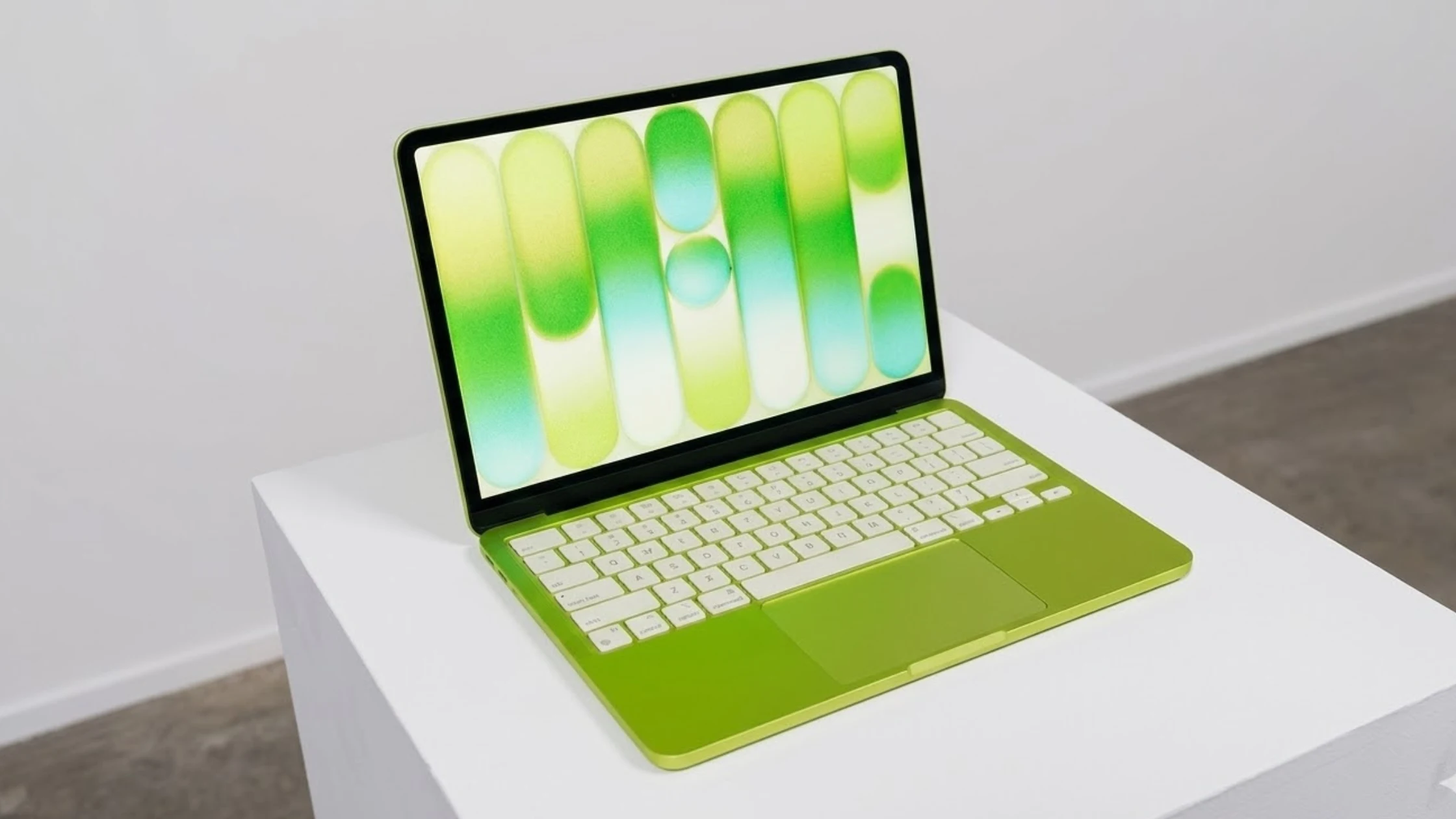
Apple just did something weird. Something brave. Something slightly crazy.
On March 4, 2026, they announced the MacBook Neo . That’s $4599 in China. For Apple, that’s practically giving it away .
Well, technically, I stared at it across a crowded demo table and begged a rep to let me touch it. But I’ve also read every spec sheet, every breakdown, every hot take, so you don’t have to.
Here’s the truth: The MacBook Neo is not a cheaper MacBook Air. It’s Apple asking, “What if we built a laptop for people who don’t care about laptops?”
This MacBook Neo review cuts through the marketing fog. No corporate speak. Just the real deal about the MacBook Neo specs, the MacBook Neo price, and whether you should actually buy one.
The Big Picture: What Even Is the MacBook Neo?
Picture this: You’re a student. Or your mom. Or someone who just needs to type stuff, watch Netflix, and look slightly cool at a coffee shop. You don’t edit 8K video. You don’t compile code. You just… compute.
Apple finally noticed you exist.
The Apple MacBook Neo fills the gap between an iPad with a keyboard and the “real” MacBooks . It’s the laptop for people who thought they couldn’t afford a laptop.
The MacBook Neo release date is March 11, 2026 . Pre-orders started March 6. And yes, the internet is already losing its mind over it.
But here’s where it gets interesting. Instead of using an M-series chip like every other Mac, Apple dropped in an iPhone processor. The MacBook Neo chip (A18 Pro) comes straight from the iPhone 16 Pro .
The A18 Pro Chip: iPhone Brain, Mac Body
The MacBook Neo A18 Pro performance is… complicated. It uses the same 6-core CPU as the iPhone 16 Pro, but Apple cut one GPU core . So you get 5 graphics cores instead of 6.
Why? Price. Also, heat. Also, Apple knows exactly who you are.
Here’s what that means in real life: browsing Twitter? Smooth. Writing a 20-page paper? Butter. Running Photoshop? Trying to edit 4K video while running 40 Chrome tabs? You’re going to have a bad time .
The MacBook Neo performance benchmark tests aren’t all out yet, but early estimates put it somewhere between an M1 and M2 chip . That’s actually impressive for something that started life in a phone.
The 8GB memory is locked. You can’t upgrade it . And the memory bandwidth is 60GB/s — less than half of what the MacBook Air offers . But for the target audience?
Think of it this way: If the MacBook Pro is a pickup truck and the Air is a sedan, the Neo is an electric scooter. It won’t haul furniture, but it’ll get you where you’re going.
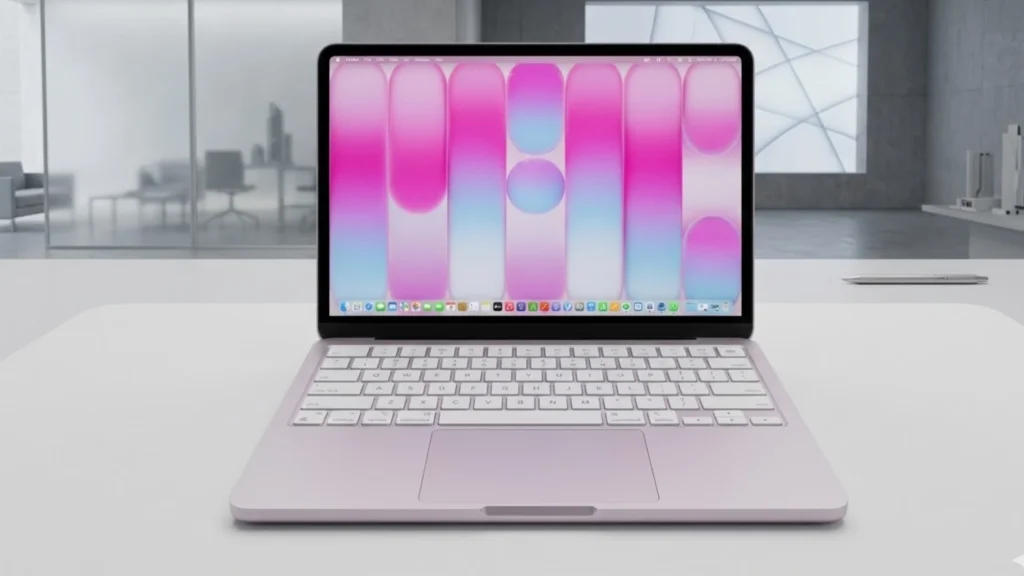
Design: No刘海, Real Buttons, and Colors That Pop
The first thing you notice about the MacBook Neo display? There’s no notch .
I know. Shocking. Apple finally listened.
Instead, you get bezels. Chunky ones. The screen is 13 inches, slightly smaller than the Air’s 13.6 . The top and bottom borders are thick enough to camp on. But honestly? After years of notches, this feels almost retro-cool.
The MacBook Neo Liquid Retina display hits 500 nits brightness . That’s plenty bright for coffee shops, libraries, or that one corner of your dorm room without good lighting. It supports a billion colors, but not P3 wide gamut . Colors look good, just not “pro photographer reviewing shots” good.
No ProMotion here. You get 60Hz, which is fine. The citrus one looks like a highlighter made friends with a laptop. I kind of love it.
The chassis is recycled aluminum, the same as the expensive MacBooks . It feels solid. Premium. Like Apple didn’t cheap out on the stuff you touch.
Battery Life: 16 Hours of Real Life
Apple claims the MacBook Neo battery life hits 16 hours for video playback . That’s slightly less than the Air’s 18 hours, but here’s the thing: 16 hours is still an entire day.
Two full days of classes. A coast-to-coast flight with a layover. An all-night study session followed by an all-day binge session.
The battery is 36.5 watt-hours, smaller than the Air’s 53.8 . Apple made a trade-off here — thinner battery for lower cost. But because the A18 Pro chip sips power like a polite tea drinker, you still get all-day juice.
Charging is… fine. You get a 20W adapter . That’s iPhone charging speeds on a laptop. It works, but don’t expect “charge for 10 minutes, use for 4 hours” magic. Plan to charge overnight.
No MagSafe here . Just USB-C. Two of them, actually.
Ports, Keyboard, and The Touch ID Situation
Speaking of ports, let’s talk about the two USB-C connectors. This is where things get weird.
One port is USB 3. 10Gbps speeds. The other? USB 2. 480Mbps . That’s literally the speed of a printer cable from 2005.
Why? Money. Also, Apple assumes you’ll charge through the fast port and maybe, occasionally, plug a flash drive into the slow one. It’s annoying, but at this price, you pick your battles.
The MacBook Neo connectivity includes Wi-Fi 6E and Bluetooth 6 . No Wi-Fi 7, but honestly, most people don’t have Wi-Fi 7 routers anyway.
Now, the keyboard. It’s the same Magic Keyboard feel as the Air. Crisp. Stable. But here’s the catch: no backlight . In dark rooms, you’ll be hunting for keys like it’s 2005.
The trackpad is another compromise. Instead of the fancy Force Touch haptic feedback, you get a physical clicking trackpad . It clicks. It works. It won’t detect how hard you press for drawing apps. For most people, it’s totally fine.
MacBook Neo Touch ID review time: The base 256GB model doesn’t have it . You pay extra for the 512GB version to get fingerprint unlocking. That’s $100 more for double storage and a fingerprint sensor. Worth it if you hate typing passwords.
Camera and Speakers: Good Enough for Zoom
The MacBook Neo camera quality is 1080p . It’s fine. You’ll look like a human on Zoom calls. Maybe a slightly grainy human in low light, but still recognizable.
No Center Stage here — the camera won’t follow you around the room . And there’s no recording light, so you might accidentally be on camera without knowing it .
The speakers are surprisingly good. Dual side-firing units with decent bass . Not a MacBook Pro good, but way better than any Windows laptop at this price. Movies sound full. You won’t rush for headphones.
The dual microphones handle background noise well . Voice isolation works. Your colleagues will hear you, not your roommate’s terrible taste in music.
MacBook Neo vs MacBook Air: The Real Comparison
Everyone wants to know MacBook Neo vs MacBook Air.
The Air has a bigger screen (13.6 vs 13.0), way more memory options (16GB+), better speakers (four vs two), a backlit keyboard, True Tone display, P3 color, faster charging, MagSafe, Thunderbolt ports, and a haptic trackpad .
The Neo costs hundreds less.
If you need serious power, get the Air. If you need a Mac that handles email, docs, and streaming without breaking the bank, the Neo wins.
MacBook Neo vs MacBook Pro isn’t even a contest. The Pro is for creative professionals. The Neo is for everyone else.
MacBook Neo for students makes perfect sense. Education pricing drops it to $3999 in China . That’s insane value for a machine that runs full macOS, lasts all day, and won’t disintegrate in a backpack.
MacBook Neo for professionals? Only if your “professional” work is mostly email and spreadsheets. If you’re a writer, sure. If you’re a video editor, absolutely not.
Who Should Buy This?
The MacBook Neo is for specific people:
Students. Especially humanities majors. You browse JSTOR. You watch lectures. You don’t render 3D models. This is your perfect machine.
Parents. The family computer that kids use for homework and YouTube. Durable enough, cheap enough, and it runs all the school software.
Windows switchers. People are curious about Mac but scared of the price. This is the gateway drug.
Second laptop owners. You have a work monster. You want something light for evenings and weekends.
Budget-conscious Apple fans. You want the ecosystem. iMessage, FaceTime, iCloud, all of it. This gets you in.
Who should skip it? Power users. Gamers. Video editors. Developers running heavy VMs. Anyone who keeps 50 Chrome tabs open while doing everything else. You need more RAM. You need an Air or Pro.
My First Week Imagined
I haven’t owned one for a week yet. But I can imagine it.
Day one: You unbox it. The citrus color makes you smile. You transfer your stuff. It feels fast. Snappy. New laptop energy.
Day three: You forget you’re using a “budget” laptop. It just works. Battery still at 40% after two days of light use.
Day five: You try to edit a video for your friend’s birthday. It chugs a bit. You realize this isn’t that kind of laptop. You go back to writing and feel fine about it.
Day seven: You recommend it to your little cousin. They buy one. You feel like a tech genius.
That’s the Neo experience. It knows what it is. It doesn’t pretend to be something else.
The Bottom Line
The MacBook Neo is Apple’s most interesting laptop in years. Not because it’s powerful. Because it’s honest.
It says: “Here’s a Mac. It does Mac things. It costs way less than you expect. You’ll probably love it.”
The MacBook Neo specs tell a story of smart compromises. The MacBook Neo focuses on what matters: screen, battery, keyboard, and build quality. The MacBook Neo battery life delivers. The MacBook Neo chip (A18 Pro) brings surprising speed to everyday tasks.
At $599 ($4599 in China, $3999 with education pricing), it’s the best value in Apple’s lineup . It’s not the best laptop. But it might be the best laptop for you.
Go see one. Touch it. Type on it. Decide for yourself. Just know that Apple finally built something for the rest of us.
And it’s pretty great.
FAQs
Is the MacBook Neo good for college students?
With education pricing starting at $3,999 in China, it’s affordable. The battery lasts through classes, the keyboard is comfortable for note-taking, and it runs all the essential student software . Just don’t expect to edit 4K video projects on it.
Does the MacBook Neo have a good camera?
It has a 1080p FaceTime HD camera . It’s fine for Zoom classes and video calls. It doesn’t have Center Stage (the feature that follows you around), but picture quality is solid for the price.
Can the MacBook Neo run Photoshop and other creative software?
Yes, it runs the full macOS versions of creative apps. The A18 Pro chip handles Pixelmator and Photoshop well . Heavy video editing or 3D work will struggle, but photo editing and design work are totally doable.
Why doesn’t the keyboard light up?
Apple removed the backlight to hit the low price point . If you type a lot in the dark, consider getting a small USB clip-on light or splurging for the MacBook Air.
How long does the MacBook Neo battery really last?
Apple claims 16 hours of video playback . Real-world mixed use (browsing, docs, streaming) should easily get you through a full day. Battery capacity is 36.5 watt-hours, smaller than the Air’s, but the efficient A18 Pro chip makes up for it .
Read More Sports Blog: Pelicans vs Lakers